How to Remove People or Objects From Photos Online
Photos often capture more than we planned. A stranger crossing the frame, a random object on a table, or background clutter that went unnoticed in the moment can quietly change how an image feels. These details rarely seem important until the photo is viewed later, especially when it is meant to be shared, reused, or repurposed for something more than personal storage.
Removing people or objects from photos online has become a common need rather than a specialized skill. What matters most now is not just whether something can be removed, but whether the image still feels believable afterward. The goal is subtle correction, not obvious editing.
Why removing people and objects requires care
Every photo carries visual logic. Light falls from a certain direction, textures repeat naturally, and shadows connect objects to their environment. When a person or object is removed without respecting that logic, the edit becomes visible even if the missing element itself is gone.
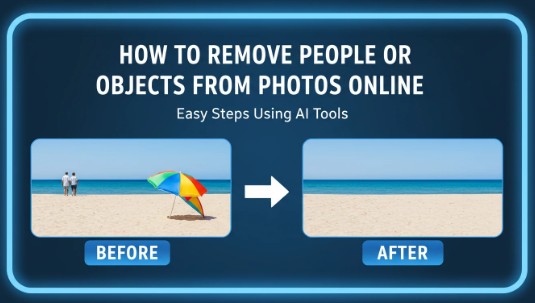
A simple travel photo shows this clearly. Removing a person from a beach scene may leave behind oddly smooth sand or broken wave patterns. In indoor shots, deleting an object can disrupt reflections or wall gradients. These issues rarely stand out at thumbnail size, but they become obvious when images are reused for websites, social platforms, or print.
This is why understanding how to approach cleanup matters more than speed. The best edits are the ones viewers never notice.
How online object removal has changed
Online editing used to mean compromise. Many people accepted lower quality because working locally required time and experience. Modern AI-based systems changed expectations by focusing on reconstruction rather than covering mistakes.
Instead of copying nearby pixels, these systems analyze what should exist behind the removed element. Floors regain natural variation, skies remain uneven, and textures keep their randomness. This approach answers a question many users still ask: how to remove unwanted objects from photo files without creating visible damage.
The result is a workflow where photos taken casually can still be refined enough for professional use. Creators, small businesses, and designers can clean images quickly while preserving their original character. Tools such as phototune.ai are built around this idea of preserving realism rather than forcing perfection.
Step-by-step approach to removing objects online
The process itself does not need to be complicated, but it benefits from a clear sequence. Start by uploading the highest-quality version of the image available. Low-resolution files limit how much detail can be reconstructed later.
Next, select the person or object to remove. The selection should closely follow the shape without cutting into important surrounding areas. Once the system processes the image, review the result at full size. Zooming in helps reveal subtle texture or lighting issues that might be missed otherwise. If needed, running a second pass often improves blending.
Finally, save the image in a high-quality format. This preserves detail if the photo will be reused across platforms or resized for different layouts.
Common scenarios and quality challenges
| Scenario | What gets removed | Main quality risk |
| Travel photos | People in the background | Repeating textures in sand or crowds |
| Product images | Props or reflections | Loss of sharp edges or surface detail |
| Real estate photos | Cables or clutter | Inconsistent lighting or shadows |
| Event photos | Objects near people | Distorted hands, faces, or clothing |
These examples show why context-aware reconstruction matters. The more complex the background, the more noticeable poor cleanup becomes.
Removing people or objects from photos online is no longer about hiding mistakes. It is about refining images so they match the intent behind them. When done carefully, the edit disappears, and the photo feels complete rather than corrected.